Use MySSAgent inside Claude
Financial advisors can run MySSAgent's Social Security claiming engine inside Claude, one client household at a time. Anyone can use the free estimator with no account, and nothing typed into it is stored. MySSAgent is listed in Claude's Connectors Directory.


See it work in 50 seconds
Advisors: run client analyses inside Claude
The first time Claude needs an advisor tool, it asks you to sign in with your MySSAgent advisor account. After that, in any conversation you can:
- List your clients. See your roster, each client's status, and whether an analysis is on file.
- Pull a client's claiming analysis. Get the optimal and recommended claiming ages, the benefit at every claiming age from the client's Social Security earnings record, lifetime values, and survivor analysis.
- Re-run the engine. Refresh a client's numbers on the records already on file.
New clients are added in your MySSAgent dashboard, where you upload the client's Social Security statement. The advisor tools only ever return your own clients. How advisor accounts work.
What the free estimator calculates
Give Claude a birth month and year and the full-retirement-age benefit from a Social Security statement. The estimator returns:
- The exact full retirement age for that birth year, to the month.
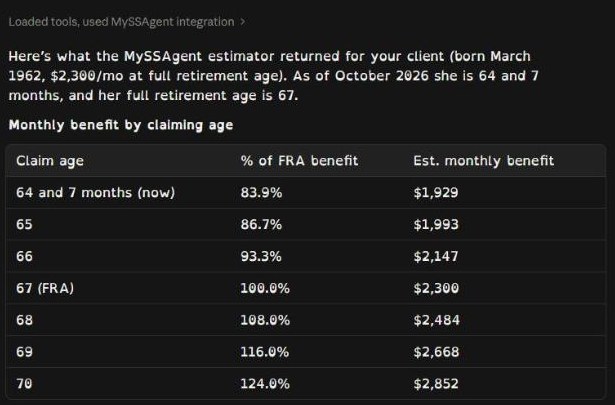
- The monthly benefit at every claiming age still open, through age 70.
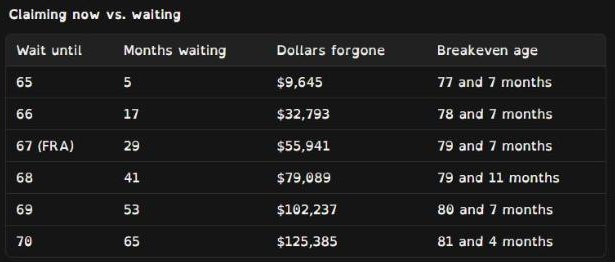
- For each later age, the months of waiting, the dollars given up while waiting, and the breakeven age.
It also lists what it leaves out: cost-of-living adjustments, taxes, the born-on-the-1st rule, and spousal and survivor coordination. Those need a full analysis from a Social Security earnings record. The estimator gives a directional estimate from the numbers provided and doesn't recommend a filing date. Every figure comes from MySSAgent's engine, which applies SSA's published rules; here's where the numbers come from.
Step-by-step walkthrough
Open the part you need.
Add MySSAgent to ClaudeFor anyone. No account needed for the estimator.
1. Find MySSAgent
In Claude, open the Connectors Directory and search for MySSAgent, or go straight to claude.ai/directory/myssagent, and add it.
2. Ask a claiming question
Start with MySSAgent's name so Claude knows to use the estimator. For example: "Use MySSAgent to estimate when my client should claim Social Security. She was born in March 1962 and her full-retirement-age benefit is $2,300."

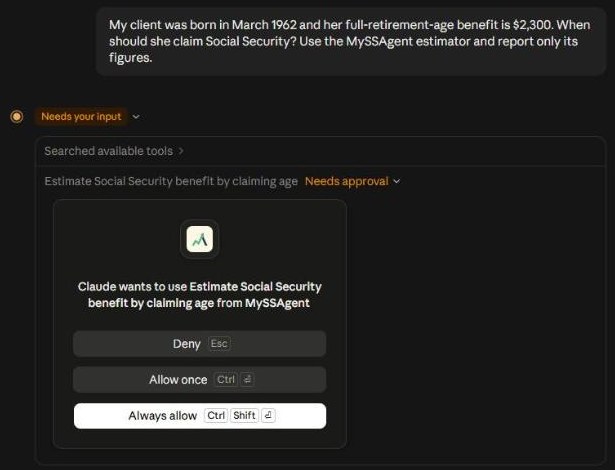
3. Allow the estimator
Claude asks before it uses a connector tool. Choose Allow once, or Always allow.
4. Read the engine's numbers
Claude shows the monthly benefit at each claiming age, then what waiting costs and when it pays off.
Advisors: set up your dashboard, then sign in from ClaudeCreate your account, add a client, and work with that client inside Claude.
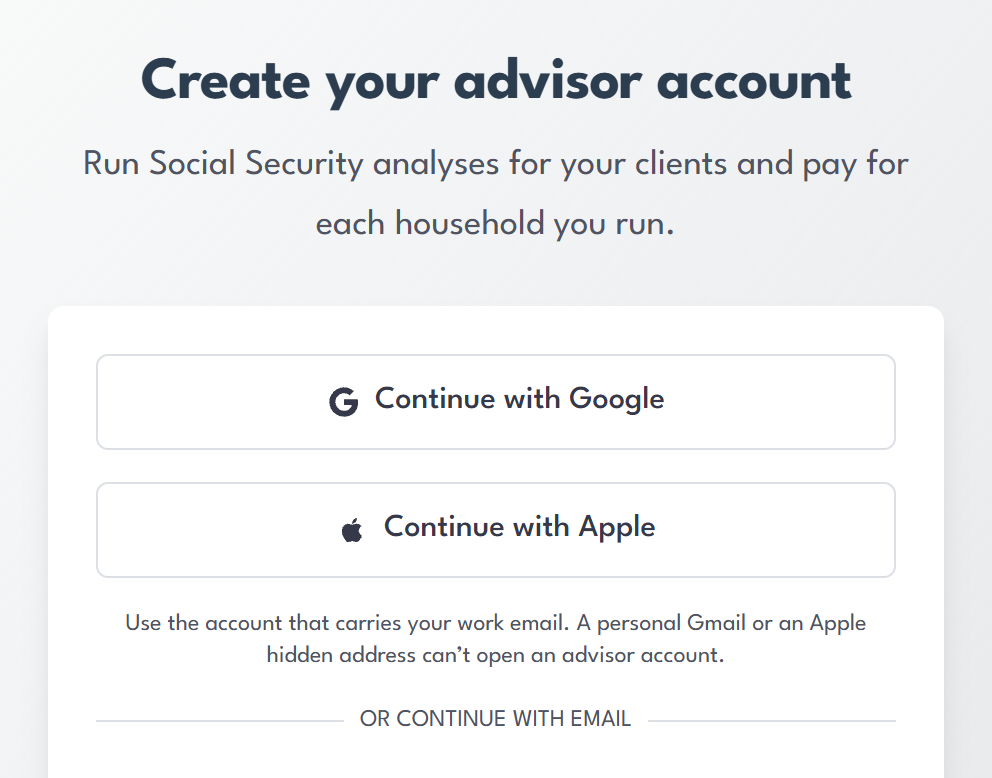
1. Create your advisor account
Go to myssagent.com/advisors/start and sign up with the Google or Apple account that carries your work email, or with your work email and a password.
2. Choose how you pay
Pay per client household from your wallet, or choose an annual license. How advisor accounts work.
3. Add a client in your dashboard
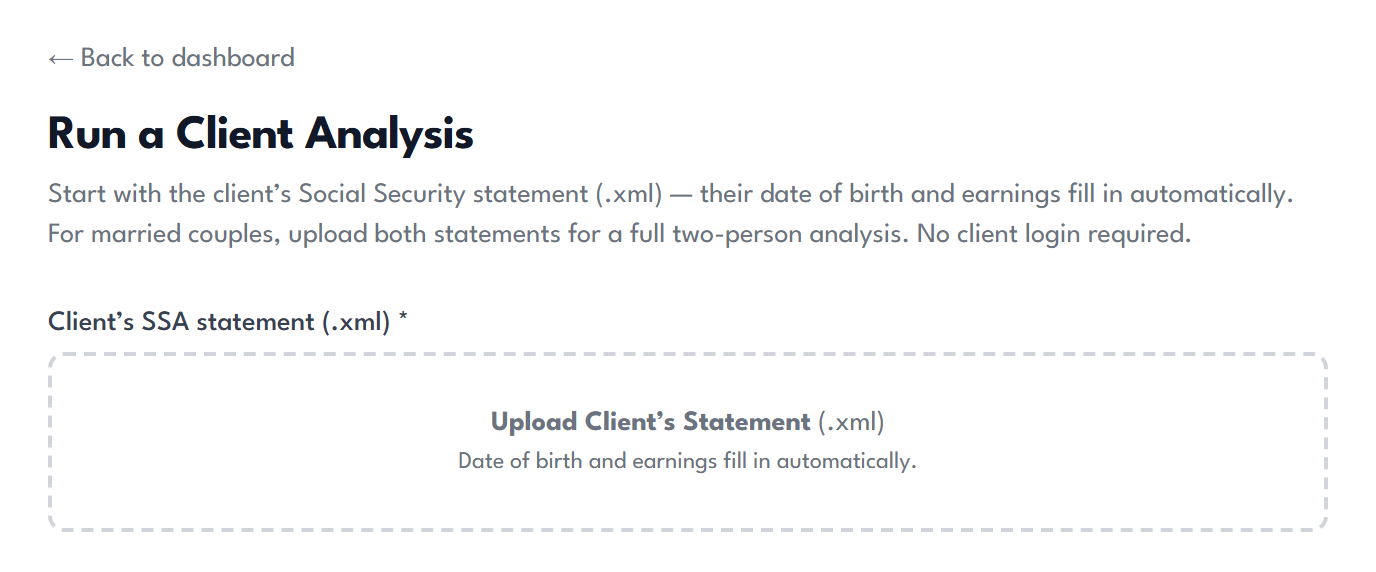
In your MySSAgent dashboard, choose Run a Client Analysis and upload the client's Social Security statement (.xml). Date of birth and earnings fill in automatically; for a married couple, upload both statements. Clients are added here, and Claude works with the clients already on file.
4. Sign in from Claude
The first time you ask Claude about one of your clients, it asks you to sign in. Sign in with your MySSAgent advisor account and approve the connection.
5. Ask about your clients
Try "Use MySSAgent to list my clients", then ask for one client's claiming analysis, or ask Claude to re-run it on the records already on file.
Can't find MySSAgent in the directory?Add it as a custom connector instead.
In Claude, open Settings → Connectors, choose Add custom connector, name it MySSAgent, and paste this address:https://myssagent.com/api/mcp
Need help with MySSAgent in Claude?
Email support@myssagent.com with what you asked and what came back. Privacy, pricing and common questions are on the AI assistant connector page.
Ready for the full analysis?
The estimator works from the numbers you give it. A full analysis works from the Social Security earnings record, with spousal coordination, survivor protection, and every claiming month from 62 to 70.